Pydroid repository plugin
Lider Soft KZLibraries & Demo
4.2161.00 Reviews
- Version
- 4.1
- Installs
- 1.00M
- Age Rating
- Everyone
Screenshots
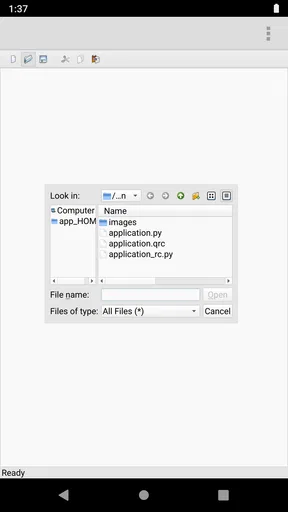
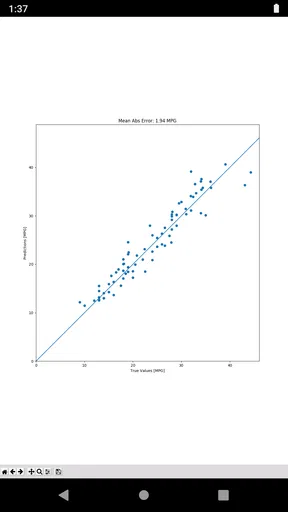
Our Review of Pydroid repository plugin
 Analysis by Appyee
When I first looked at Pydroid repository plugin, I understood its role quickly: it is not a Python editor, a full development environment, or a general-purpose app library. It is a small companion for Pydroid that helps provide packages through a quick-install repository. That narrow purpose is also its main strength. If you already use Pydroid on Android and want a simpler way to obtain compatible Python packages, this plugin can remove a lot of repetitive work.
My overall impression is practical rather than flashy. The app, developed by Lider Soft KZ, belongs to the libraries and demo section of the app store and is free to use. It has reached over a million installs and holds a 4.1 average from around 5.5 thousand ratings, which suggests that many people find the basic idea useful even though it is aimed at a fairly specific audience. I would not recommend installing it just because you see the word “Python”; I would install it when Pydroid is already part of your mobile workflow.
How the plugin feels in everyday use
I find the everyday experience easiest to judge by what happens around the plugin: whether it helps me move from a package need back to the code without turning setup into a separate project. That also makes it worth looking closely at what users can actually control, rather than assuming a companion utility manages the whole Python environment.
Speed expectations: quick when the task is simple
The first thing to understand is where speed comes from here. The plugin is a repository provider, so it does not turn Python work itself into a faster experience. Its job is to make package installation more direct inside the surrounding Pydroid setup. When I use it for a straightforward package request, the useful part is the reduction in searching, manual copying, and trial-and-error installation steps.
That makes the plugin feel fast in the moments that matter most: choosing a package and getting back to the project. The app is not something I open for long sessions, and I do not judge it like a standalone productivity suite. Its value is measured by how little attention it demands before I can return to code.
There is an important distinction, though. A quick install does not necessarily mean that the package itself will run instantly. The time involved can still depend on the package, the phone, the available storage, and the rest of the Pydroid environment. I would therefore describe the plugin as a shortcut for package acquisition, not as a performance booster for Python programs.
For a beginner, this difference prevents a common misunderstanding. If a script is slow, crashes, or needs a package with demanding dependencies, the repository plugin is not automatically the cause or the cure. It helps with access to packages; it does not replace understanding what those packages require.
Heavy-use moments: where the workflow can become less smooth
The plugin is most comfortable when I need a modest number of packages for learning, testing, or a small personal script. The experience becomes more demanding when a project depends on several packages or on components that place greater pressure on the phone. At that point, the installation process is only one part of the problem. Storage, memory, package compatibility, and the limits of mobile development all become more important.
This is one of the less obvious trade-offs. A repository shortcut can encourage experimentation because it lowers the barrier to trying another package. That is helpful, but it can also lead to a cluttered environment if I install everything “just in case.” I prefer to add only what a project needs, test it, and remove unnecessary packages when the setup becomes difficult to understand.
A second practical point is that repeated package work can expose the difference between a phone and a desktop computer. On a desktop, I can keep a terminal, documentation, and an editor open side by side. On Android, switching between apps and recovering from an interrupted session can be more awkward. The plugin does not create that limitation, but it sits inside it.
For that reason, I see it as especially useful during short bursts: checking an example, preparing a classroom exercise, testing a small data-processing idea, or adding one missing dependency to an existing Pydroid project. For a large project with a long dependency chain, I would rather prepare the environment on a computer and use the phone for lighter testing.
Reliability: useful because it keeps the setup focused
Reliability here is less about a long list of visible features and more about whether the plugin stays out of the way. In my experience, a companion with one clear purpose is easier to understand than a broad utility that tries to manage every part of a development workflow. Pydroid repository plugin has a focused identity, and that makes its role predictable.
The current version is 4.1, and the app has been available since March 30, 2019. Those details matter mainly because they show that this is an established companion rather than a newly appearing experiment. I still would not treat an established app as a guarantee that every package will behave identically on every Android device. Package compatibility is a separate concern from the plugin’s own interface.
My preferred recovery habit is simple: after installing a package, I test it with a small import or a tiny script before building a larger project around it. If something fails, I know sooner whether the issue is the package, the script, or the broader environment. This is a much better workflow than installing several dependencies at once and trying to diagnose everything after a large program breaks.
Another useful habit is to keep a note of the packages a project actually uses. The repository provider makes installation convenient, but convenience can make it easy to forget what has been added. A short dependency list gives me a way to rebuild the setup later and makes recovery less frustrating if I need to reset my development environment.
Device constraints: small tool, but not a weightless workflow
Because this is a compact support app rather than a full coding workspace, I would not expect it to be the main source of resource pressure. The more meaningful demands usually come from Pydroid, the installed packages, and the scripts being executed. That distinction is important for anyone using an older or storage-limited phone.
If your device has limited free space, package selection deserves attention. Installing large or unnecessary libraries can make the overall environment harder to maintain even when the repository plugin itself feels lightweight. I recommend checking the project’s real needs before adding optional dependencies, especially when the phone is also used for photos, offline media, or other storage-heavy tasks.
Memory can also affect the wider experience. A small script may run comfortably, while a package-heavy project or a long-running process may be less pleasant on a phone than on a computer. The plugin cannot change the hardware ceiling. What it can do is make the initial setup less manual, which is valuable when I am working within those limits.
There is also a usability constraint that has nothing to do with raw hardware: mobile typing. If I am only installing a package and testing a few lines, Android is perfectly workable. If I need to write and debug a large codebase, the keyboard, screen size, and app switching become the real bottlenecks. In that situation, I would choose a desktop Python setup and keep Pydroid for quick checks or learning away from my desk.
Who will get the most from it?
I think this plugin is a good fit for three kinds of users. The first is a Pydroid beginner who wants to install packages without learning a more complicated command-line workflow immediately. The second is a student who uses an Android phone for small exercises and needs a convenient way to add a library. The third is an experienced Python user who already knows what package is needed and wants a faster route to a compatible mobile setup.
A realistic example would be a student travelling to class with only a phone. They have a short Python exercise that reads a local file, transforms the contents, and produces a simple result. Instead of abandoning the exercise because one package is missing, they can use the repository plugin as part of the Pydroid setup, install the required dependency, run a small test, and continue. It does not turn the phone into a workstation, but it can make that specific situation much less inconvenient.
I would skip it if I do not use Pydroid, if I only need a general app for reading programming documentation, or if I expect a complete Python distribution with desktop-level tooling. I would also avoid relying on it as the sole solution for professional development. The plugin is a bridge inside a mobile Python workflow, not a replacement for version-controlled projects, reproducible environments, and the broader tools available on a computer.
How it compares with the usual alternatives
The closest alternative is manual package installation through whatever tools are available in a conventional Python environment. That approach gives more control and can be preferable for advanced users, especially when they need to inspect versions, manage isolated environments, or reproduce a setup precisely. The drawback on Android is that manual work can be less comfortable and more error-prone, particularly for someone still learning Python.
Another alternative is using a desktop computer with a standard Python distribution. For serious projects, I consider that the stronger option because the larger screen, keyboard, storage, and development tools make debugging and maintenance easier. The repository plugin wins only when portability and quick package access matter more than the depth of the workstation environment.
There is also the option of using a browser-based coding service. That can be convenient when a device has a reliable connection and the user wants a ready-made environment, but it introduces dependence on the browser and service. Pydroid repository plugin is more appealing when I want to work within an Android installation and keep the process centered on the phone.
The key comparison is therefore not “which app has more features?” It is “where do I want the Python workflow to live?” For Android-based learning and small experiments, this plugin is a sensible supporting piece. For complex development, a computer remains the better tool.
Small workflow improvements that make a difference
My first tip is to install packages one at a time when troubleshooting. It takes slightly longer at the beginning, but it tells me exactly which addition changed the environment. This is particularly useful on a phone, where diagnosing a long installation chain can be more tiring than the original coding task.
My second tip is to test the package immediately with the smallest meaningful example. If the package is for handling a file format, I use a tiny sample file. If it is for a calculation, I run one basic calculation. This separates installation success from real usability and helps reveal problems before they become buried in a larger script.
My third tip is to treat the repository as a focused source for the Pydroid workflow rather than a reason to install every interesting library. Keeping the environment lean improves my ability to understand what a project needs and makes recovery easier. It also reduces the chance that I will confuse an unrelated package with the cause of a later problem.
Finally, I keep important scripts and notes outside the package environment. A package setup can be rebuilt; personal code and project instructions are harder to recreate. This simple separation makes changing phones or moving to a computer much less stressful.
What the rating and audience suggest
The app’s 4.1 average and its audience size indicate a generally positive reception, but I would read those figures in context. This is a specialized utility, so satisfaction depends heavily on whether the person already has a reason to use Pydroid. Someone looking for a standalone app may reasonably find it confusing or unnecessary, while a Pydroid user may see it as exactly the missing piece in a package-installation workflow.
The Everyone age rating also makes it approachable for learners and younger users, although the technical subject still means that a little Python guidance will help. The interface may be simple enough for a beginner, but understanding which package to install and how to test it remains part of learning.
My performance verdict
After looking at its role, speed expectations, heavier use, reliability, and device limitations, I see Pydroid repository plugin as a practical accessory rather than an app that needs constant attention. It is at its best when I already have Pydroid installed, know roughly what package I need, and want to avoid unnecessary manual setup on Android.
The most important expectation is simple: this plugin streamlines access to Python packages, but it does not remove the limits of mobile development. It can make a short coding session start faster and make beginner package installation less intimidating. It cannot guarantee that every dependency will suit every phone, and it cannot provide the comfort or control of a desktop environment.
I would recommend it to Pydroid users who value convenience, students practising Python on Android, and anyone who needs a lightweight way to prepare a small project away from a computer. I would not recommend installing it without Pydroid or choosing it as a substitute for a full professional setup. At no cost, it is an easy addition for the right audience, and its focused design is more useful than a long list of unnecessary extras.
In short, Pydroid repository plugin earns its place when package access is the obstacle. Used selectively, with small tests and sensible storage habits, it makes Android Python work more approachable. Used with desktop-level expectations, it will feel limited. For the specific job it is designed to support, though, I find it a worthwhile companion.
Privacy and Permissions
See what permissions an app requests and how it handles your data.
- Photos/Media/Files
- read the contents of your USB storage, modify or delete the contents of your USB storage
- Storage
- read the contents of your USB storage, modify or delete the contents of your USB storage
- Wi-Fi connection information
- view Wi-Fi connections
- Other
- view network connections, full network access, prevent device from sleeping, Google Play license check
Verdict
Strengths of Pydroid repository plugin
- Adds access to extra Python packages and repositories
- Works directly inside the Pydroid environment
- Useful for scientific, data, and machine-learning projects
- Can expand package availability beyond the standard setup
- Saves time compared with manually configuring repositories
Limitations of Pydroid repository plugin
- Some packages may require additional Pydroid plugins to work
- Installation can use considerable storage for large dependencies
- Package compatibility may vary across Android devices
- Repository packages may not always match the latest releases
- Advanced users may find the setup less flexible than desktop tools
Similar Picks in This Category
View All
PGT: GFX, Launcher & Optimizer
Trilokia Inc.4.5

AusweisApp Bund
Governikus Service GmbH3.7

Cardboard
Google LLC3.2

Gamers GLTool with Game Tuner
Trilokia Inc.4.5

Multi Web Chat - Read Secretly
World Scan & Cleaner3.8

App Cloner Premium & Add-ons
App Listo1.9
Frequently Asked Questions
What is the Pydroid repository plugin used for?
The Pydroid repository plugin is an add-on for Pydroid 3 that provides access to additional Python libraries and prebuilt packages. It is designed to make installing modules easier on Android, especially when a package is not included in the main Pydroid installation. The plugin works as a companion component rather than a standalone Python editor or development environment.
Is the Pydroid repository plugin required to use Pydroid 3?
No, the plugin is not required for every Pydroid 3 user. Many standard Python features and commonly used packages can be installed or used without it. However, it can be useful when you need extra repositories or packages that are unavailable through the regular Pydroid package manager. Whether you need it depends on the libraries required by your projects and the compatibility of those libraries with Android.
How do I install and use the Pydroid repository plugin?
First, install Pydroid 3 from a trusted app store, then download the Pydroid repository plugin separately if your required package depends on it. After installation, open Pydroid 3 and use its package management tools to search for and install supported modules. The plugin generally works in the background, so there may not be a separate interface to explore. An internet connection is normally needed when downloading packages.
Can the plugin install every Python package available on desktop platforms?
No. The Pydroid repository plugin does not guarantee compatibility with every package found on Windows, macOS, or Linux. Android has different system restrictions, processor architectures, and dependency requirements, while some Python libraries need native components that are difficult to compile on a mobile device. Before downloading, check whether the package is supported by Pydroid and whether its dependencies are available for your Android version.
Is the Pydroid repository plugin free and safe to download?
The plugin may be distributed as a separate companion application and its availability, pricing, or installation requirements can vary by store and region. Download it only from an official or reputable source, and avoid modified APK files from unknown websites. Review the permissions requested during installation and keep Pydroid 3 updated. Because the plugin downloads software packages, use a secure internet connection and install libraries only from trusted repositories.
